You can easily access your KETO weight loss plan by having it on your Phone or iPad Screen!
For iPad and iPhone
1. Open my.ketogo.app in Safari* app.
*Please note that this does not work from the “Chrome” app.
2. At the bottom of the screen tap the Share icon  to open a drop-down menu:
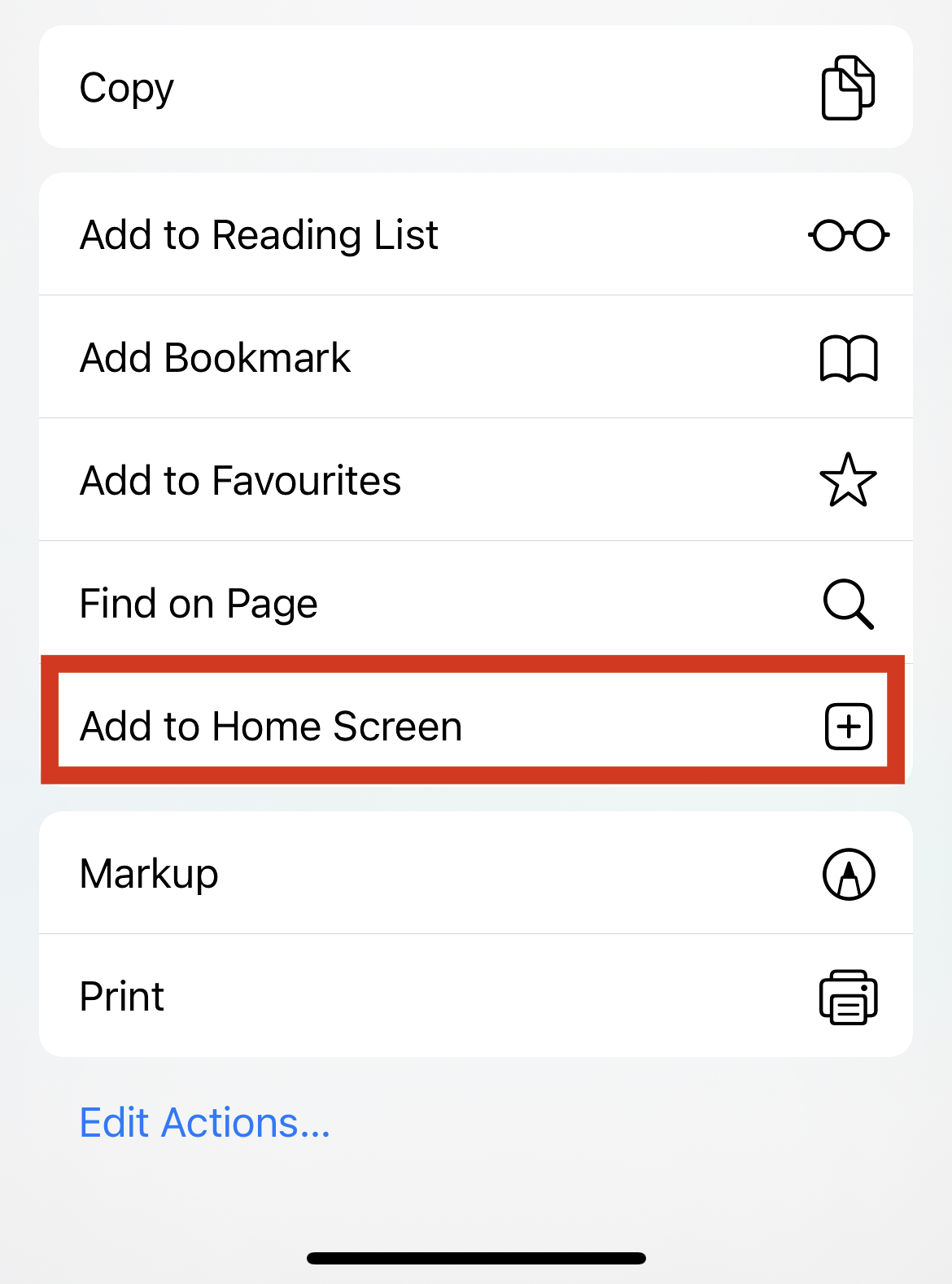
3. In the drop-down menu tap Add to Home Screen and it will open Add to Home Screen:
4. In the Add to Home Screen tap Add, to add my.ketogo.app on your iPad’s or iPhone's Screen:
5. Safari will close automatically and you will be taken to where the icon is located on your iPad’s or iPhone's Screen.
For Android
1. Open my.ketogo.app in Chrome* app.
*Please note that this does not work from the device's native web browser app
2. Tap the menu icon (3 dots in upper right-hand corner) and tap Add to Home Screen.